October 27, 2026
Best App for Contractors to Manage Leads and Requests
Running a service business means balancing skilled trade work with the administrative burden of running an office. When those two worlds collide without structure, revenue suffers. The best app for contractors to manage leads does not just store contact information. It creates a reliable system that captures opportunities before they vanish into a crowded inbox or forgotten text thread. Find-A-Pro provides this infrastructure through a dedicated interface built for home service professionals who need to organize incoming work efficiently.
The platform is more than a simple directory, because it combines lead generation with operational management tools. You get verified homeowner requests alongside the scheduling and communication features needed to convert those inquiries into booked jobs. No software can guarantee a sale or replace the quality of your craftsmanship, but a structured environment makes sure legitimate opportunities get the attention they deserve instead of getting lost in daily chaos.
Why Contractors Need a Dedicated Lead Management Dashboard
Fragmented communication channels create invisible bottlenecks that drain profitability from even the most talented service teams. When potential clients reach out by email, social media, phone calls, and website forms all at once, tracking every interaction by hand becomes impossible as volume increases.
The Cost of Missed Client Requests
Speed determines whether a prospect becomes a paying customer or hires someone else. According to general industry consensus on lead response speed, responding to service inquiries within the first hour significantly increases conversion rates, which is why real-time dashboard notifications matter for contractors today. A delayed response signals disinterest to a homeowner facing an urgent repair, regardless of your actual availability or skill level.
Missed calls and buried emails are direct financial losses that compound over time. Each unreturned inquiry is wasted marketing spend and lost future referral potential. That creates a cycle where growth stalls despite high demand for services.
Moving Beyond Spreadsheets and Text Messages
Spreadsheets were never built to handle the dynamic nature of field service operations. Static rows cannot send reminders, track conversation history, or update job status automatically. That forces you to do redundant data entry that steals time from billable work.
Text messages offer speed but lack organization and searchability across months of client interactions. Relying on personal devices for business communication blurs professional boundaries, and you risk losing critical project details when phones get upgraded or numbers change.
A dedicated contractor lead dashboard replaces these disjointed methods with a single source of truth. This centralization lets you see exactly where every prospect stands in your pipeline, without toggling between multiple apps or guessing which notes belong to which job.
Core Features of an Effective Contractor Scheduling App
Software only helps if it cuts administrative friction during busy periods. You need lead management software for contractors that combines scheduling, messaging, and request tracking in one interface, rather than forcing integration between incompatible tools.
Centralized Client Request Tracker
Every incoming job needs a standard place to live, from initial contact to final invoice. A proper client request tracker for contractors captures homeowner details, project scope, and preferred timelines in a consistent format that makes comparison and prioritization simple.
Without this structure, high-value projects get treated the same as minor repairs, based only on recency rather than strategic importance. Organization turns reactive scrambling into proactive planning and lets you put resources where they generate the most return.
Integrated Messaging and Quote Management
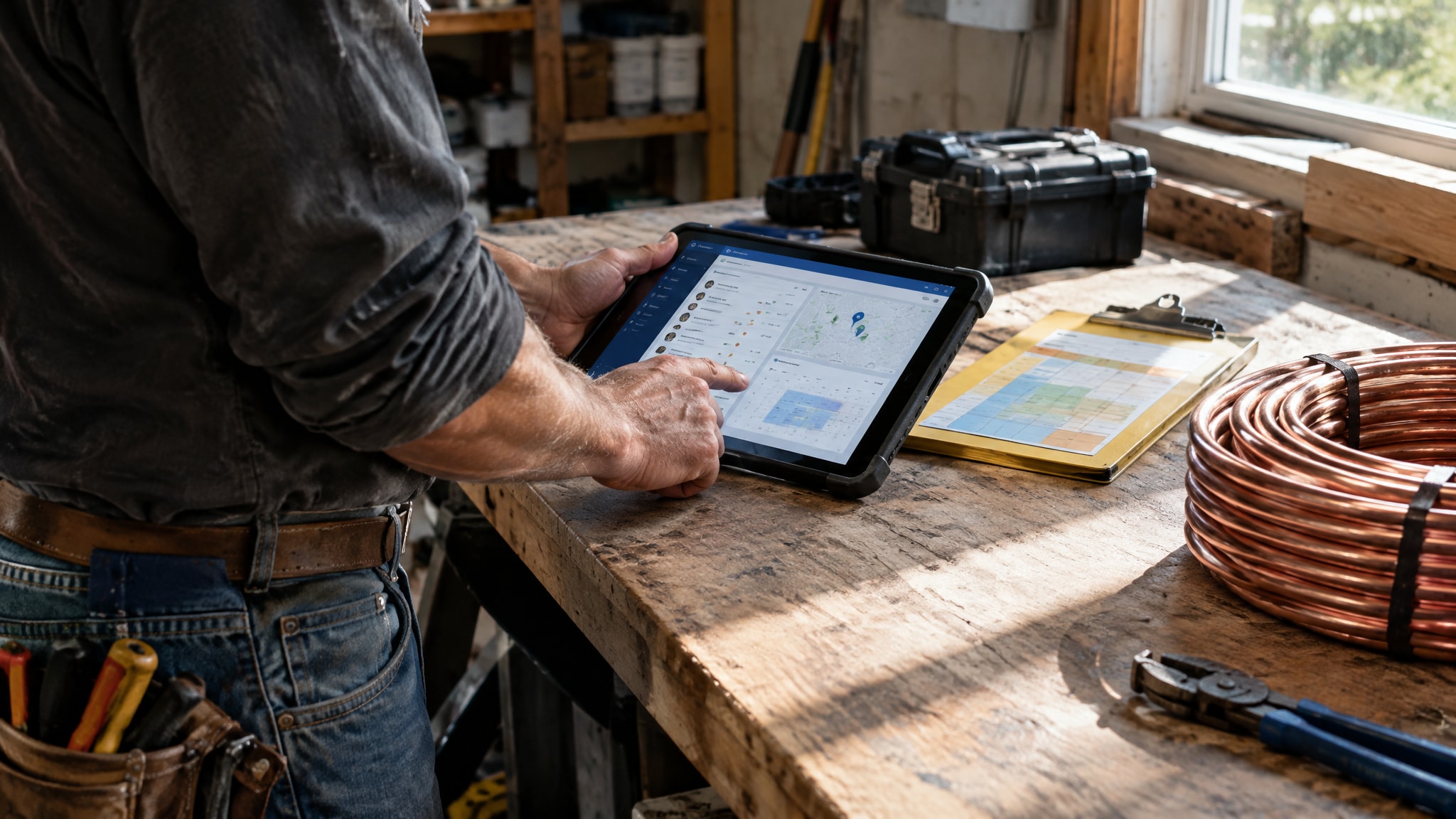
Communication gaps cause delays and erode trust during the estimation phase. Find-A-Pro's professional dashboard puts incoming requests, direct messaging, and job details into a single view, so you don't have to toggle between email, text, and calendar apps.
Keeping quotes attached to the original conversation thread prevents version control issues and confusion about pricing. Homeowners appreciate having everything in one place, which speeds up approval decisions and cuts down on back-and-forth clarification.
Mobile Access for Field Teams
Administrative tasks should not require returning to the shop or waiting until evening. A functional contractor scheduling app gives technicians full mobile access, so they can update statuses, respond to messages, and adjust calendars directly from job sites.
Real-time updates from the field prevent double-booking and keep office staff aligned with actual progress. Schedule changes reach the whole team instantly, which cuts conflicts and improves arrival accuracy for later appointments.
How Find-A-Pro Streamlines Lead Organization for Pros
The platform stands apart by focusing on verification and intent rather than maximizing raw traffic. Unlike open directories, Find-A-Pro connects pros with verified homeowners who have submitted specific service requests. Intent matters more here than traffic volume.
Real-Time Request Notifications
Immediate awareness of new opportunities means faster responses than competitors relying on batch processing. The system pushes alerts directly to your device the moment a homeowner submits a request, so you can act while interest is highest.
These notifications include key project details upfront, so you can triage without logging in blind. A quick glance lets you prioritize urgent jobs or high-value installations over routine maintenance during peak seasons.
Verified Lead Quality Over Volume
Chasing unqualified prospects wastes fuel, time, and emotional energy. The platform checks homeowner identities and project specifics before presenting opportunities to professionals, filtering out spam and tire-kickers that plague generic classified sites.
You spend less time vetting basic legitimacy and more time preparing accurate estimates for real projects. That focus on quality improves conversion and makes your marketing budget stretch further, because every inquiry is actually actionable.
Direct Communication Without Middlemen
Third-party relay systems often distort messages and delay responses for no good reason. Find-A-Pro connects professionals and homeowners directly once a request is matched, which preserves nuance and builds rapport from the first interaction.
Direct communication builds trust faster than anonymized forwarding services ever could. Homeowners want to speak with the person doing the work. Removing the barrier satisfies that, and gives you complete control over the sales process.
Managing Customer Requests From Inquiry to Completion
Professional consistency matters as much as technical skill when it comes to repeat business and referrals. A manage customer requests app keeps homeowners informed throughout the project without constant manual check-ins from your team.
Tracking Job Status Visually
Homeowners get anxious when they can't see progress on their property. Visual status indicators show exactly where each project sits in your workflow, which cuts down inbound status-check calls.
Clear milestones help manage expectations around completion dates and payment schedules. When clients understand what's left to do, they're less likely to read normal workflow gaps as delays or neglect.
Automating Follow-Ups and Updates
Repetitive communications eat up mental bandwidth better spent on harder problems. Automated confirmations and status updates mean clients get timely information even while you're focused on demanding technical work.
Consistent follow-up shows professionalism and reliability without adding to your daily workload. These touchpoints build confidence in your operation and encourage the kind of reviews that drive future work.
Organized workflows also support accountability among team members. Everyone sees the same current state, which cuts down handoff errors during shift changes or subcontractor transitions.
Comparing Lead Tools: Marketplaces vs. Standalone CRMs
Choosing the right tool means understanding what your business actually needs now, not what might be useful later. For many contractors, a tool that supplies verified leads alongside management features pays off faster than a generic database that still requires you to source leads elsewhere.
Built-In Lead Generation vs. Empty Databases
Standalone CRM software is good at organizing existing contacts, but it generates zero new business on its own. You need a steady stream of inquiries already coming in to justify the subscription cost and setup time these systems require.
Marketplace-integrated dashboards solve the chicken-and-egg problem by combining acquisition and management in one package. This closes the gap between finding work and organizing it, which matters most for growing businesses still building a local reputation.
If you're currently more focused on filling your pipeline than optimizing backend processes, strategies for generating more work can complement platform adoption.
Cost Efficiency for Small to Mid-Sized Teams
Enterprise-grade CRMs often charge per user and require expensive implementation consultants. Small teams rarely use enough of the advanced automation to offset that overhead during early growth.
Integrated platforms typically offer simpler pricing tied to actual usage rather than seat counts. That lowers the financial risk while you find out whether the system actually improves how you operate.
Evaluating service platforms thoroughly before committing prevents buyer's remorse down the road. Total cost of ownership includes training time, data migration, and ongoing maintenance, not just the monthly fee.
Getting Started With Your New Lead Management System
Adoption works when setup removes barriers instead of creating them. Start by completing your professional profile with accurate licensing, insurance, and service area details, to maximize visibility to relevant homeowners.
Set notification preferences to match your working hours and actual response capacity. Too many alerts leads to fatigue; too few causes missed opportunities. Find the balance that keeps you engaged without burning out.
Review understanding the request flow to set accurate expectations about how leads move through the system. Knowing how the platform works reduces frustration during the first few weeks.
Explore professional dashboard features to find the capabilities most relevant to your trade and business model. Targeted exploration beats overwhelm, and helps you learn the functions that improve your operations right away.
Consistent use builds momentum faster than a perfectly tuned setup. Start managing incoming requests as soon as you sign up, and adjust your settings based on real experience rather than guesswork.
Frequently Asked Questions
Does Find-A-Pro integrate with my existing calendar or accounting software?
Find-A-Pro currently operates as a standalone platform focused on lead management and direct homeowner communication rather than third-party integrations. The dashboard consolidates scheduling and messaging internally to reduce dependency on external tools that may not align with service-industry workflows. Future integration possibilities depend on user feedback and platform development priorities.
How does Find-A-Pro verify homeowner requests before showing them to contractors?
The platform validates homeowner identity and confirms specific project details before presenting requests to professionals. This verification process filters out spam, duplicate submissions, and vague inquiries that lack actionable scope information. Contractors receive only legitimate requests from verified users who have demonstrated genuine intent to hire.
Can I use the contractor dashboard on my phone while working in the field?
Yes, the professional dashboard is fully accessible on mobile devices with all core features available away from a desktop. Technicians can respond to messages, update job statuses, and review project details directly from job sites without returning to an office. Mobile access ensures schedule changes and communications stay synchronized in real time across your entire team.
What happens if I miss a lead notification during busy periods?
Unresponded requests remain visible in your dashboard queue until you take action or the homeowner withdraws them. The system does not automatically reassign leads to other professionals simply because response time exceeded a threshold. However, faster responses consistently convert better, so adjusting notification settings during peak seasons helps maintain competitive response rates.